Everything Ariach does
From the file you have to the file for the print shop: import, design, proofreading, working together and print. And at the end, what isn't here yet.
Start from the file you already have
Upload your Word file as it is. You see the first page as a book while it is still importing, and you choose a design for it.
- Word footnotes
- Become notes on the page, each beside its word.
- Headings and styles
- Headings stay headings, even when they are only bold and large. Word's character and paragraph styles become the book's styles.
- A commentary in a separate file
- Each dibbur hamaschil is placed beside the word it explains. Where the program is not sure, the spot is flagged for you to check, not guessed in silence.
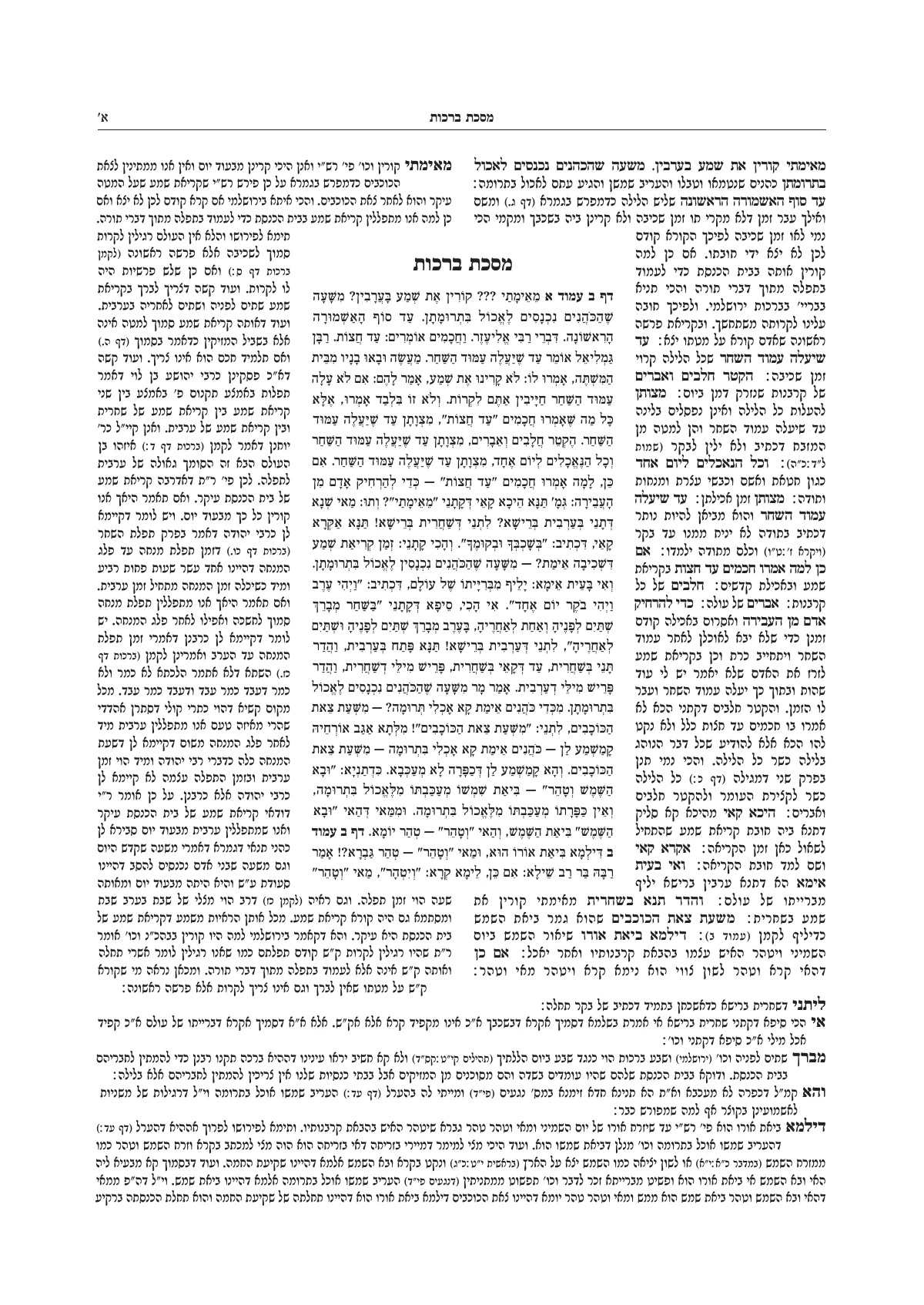
- From Otzaria
- About 8,500 seforim. A masechta with Rashi and Tosafos opens by itself as a daf of Gemara, and a Chumash opens with Onkelos.
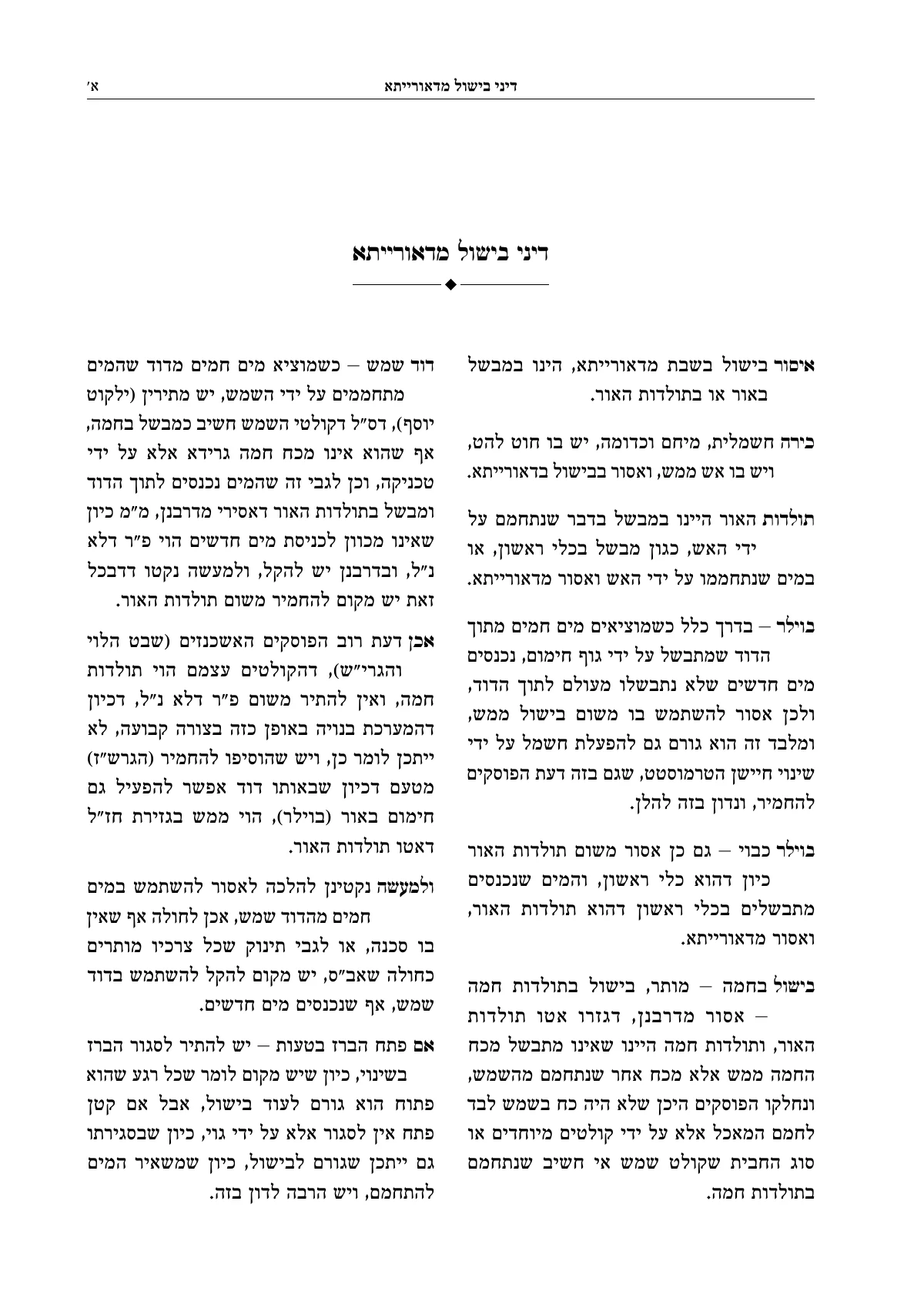
Or from the Otzaria library: about 8,500 seforim, with the commentaries you choose.
Design, to the last detail
Ready-made designs, title pages, ornaments and frames, a table of contents, a running head and fonts. To change anything, edit it right on the page.
- Ready-made designsFor the whole book or part of it. Hovering shows the design on your own pages before you choose.
- Title page and its backReady-made title pages, with a background image and frame. Or paste the title lines, and the Assistant sorts them into fields.
- Ornaments and frames148 built-in ornaments in 11 styles, the fonts' ornaments, and a library of your own ornaments and images.
- Table of contentsBuilt by itself from the headings, and adjusted on the page itself: size, columns, what goes between the name and the number.
- Running headThe name of the sefer and the chapter at the top of the page, with numbers in Hebrew letters or as daf and amud, in six places to choose from.
- FontsHebrew fonts for seforim, nikud and taamim, Rashi script, and fonts of your own that you upload to your account.
Proofreading and characters
Four questions about the whole book: text, letters, sources and pages. Findings are grouped by the kind of fix, and source references are checked against Otzaria.
Gershayim instead of quotation marks
רש"י רש״י
A quotation whose wording differs
״מאימתי קורין את שמע בערבין״ · Berachos 2a
Found in Otzaria. The wording in the source is identical.
- Text. Punctuation, gershayim, double spaces and final letters in the middle of a word. Grouped by kind, and you fix 412 with one click or one by one.
- Letters. A character the font doesn't have is drawn from another font, and nikud from another font balances itself.
- Sources. Source references and quotations are checked against the Otzaria library: a source that wasn't found, and a quotation whose wording differs.
- Pages. A page that didn't fill, a note that moved far from its word, and what you can do about each.
Together, and without fear of mistakes
The proofreader, the editor and the book's owner on the same book, at the same time.
שמעון הצדיק היה משירי כנסת הגדולה. הוא היה אומר: על שלשה דברים העולם עומדעומד, על התורה ועל העבודה ועל גמילות חסדים.
Joseph, proofreader, suggested adding a comma
- Several people on the same book. They work together at the same time and see who is where. The proofreader suggests a correction, and the book's owner approves it with one click.
- Every action can be undone. Text, settings and layout instructions: one history of up to 500 steps, with a name for every step.
- A print version. Save a version, mark it for print, and download a PDF from it even after the book has kept changing.
A file that's ready for the print shop
The PDF is produced on the server, identical to the pages on the screen: with bleed and crop marks, in four colors or black only, single pages or spreads.
And if the book also needs to come out another way:
Export PDF
And a few more things that save work
- Search that understands Hebrew
- Finds a word with nikud, in full or short spelling, and with prefix letters. When you replace, the nikud is kept.
- Pages from an image
- A part in which every page is an image, like a scanned haskamah. And a background for the title page or for all pages.
- Paragraphs side by side
- Up to four, for the original and a translation, or for two versions.
- Paragraph numbering
- Halacha 1, 2, 3, with a design of its own, inside the notes too.
- Overview
- The whole book as small pages. Click a page to open it for reading.
- Preview
- The pages alone on the whole screen, the way they came out of the print shop.
What isn't here yet. So you don't find out in the middle of a book:
- Images inside the running text
- Tables
- An index built without marking its entries
- Working on a phone: the studio needs a wide screen
Open the sample book, and change something in it
The sample book opens at once, with no sign-up. When you want to typeset a book of your own, open an account and upload the file.
A question before you start? Write to us, and we usually answer within a business day.